Iskra Text Editor
A fast, lightweight Windows text editor designed to open large files instantly, consume minimal system resources, and provide customizable visual themes.
A fast, lightweight Windows text editor designed to open large files instantly, consume minimal system resources, and provide customizable visual themes.
As developers and creators, many of us do our best work late at night in low-light rooms. In those quiet hours, standard tools often become a frustration. On Windows 10, classic Notepad lacks a proper dark mode opening a quick configuration file in the dark feels like staring directly into a flashbang. Windows 11 attempted to fix this, but transformed a once simple utility into a heavier, sluggish application loaded with unwanted telemetry and unnecessary tabs. Worse yet, both versions collapse or freeze the moment you feed them a 50MB+ log file.
On the other end of the spectrum are modern Web based editors that take several seconds to launch and consume half a gigabyte of RAM just to inspect a single line of text. Desktop software has become bloated, slow, and resource hungry.
Every developer whether a professional or a passionate hobbyist needs a rock-solid, ultra-fast text editor alongside heavy IDEs like Visual Studio. That is why Iskra Text Editor was crafted: to prove that a Windows editor can open 100MB+ files instantly, offer rich built in dark themes that respect your eyes, and run with absolute fluidity without burning your system resources.
Iskra Text Editor is distributed as Unrestricted Shareware.
Essential utilities designed for speed, privacy, and productivity without bloat
Opens large log files, CSV dumps, and text files over 100 MB instantly without freezing the user interface thread or causing delays.
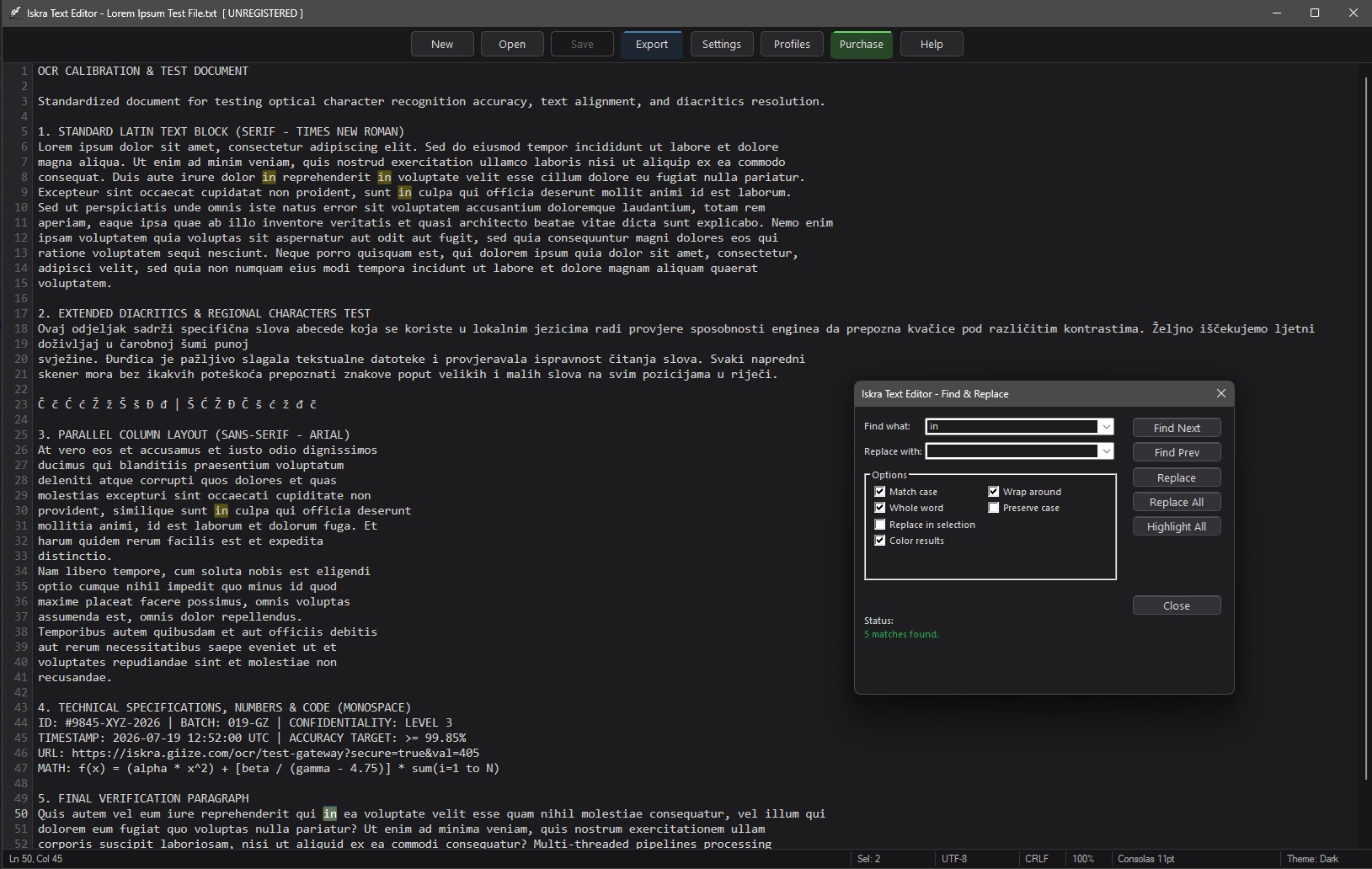
Dynamic search engine featuring real-time text highlighting as you type for effortless navigation through large documents.
Powerful pattern matching with full Regular Expression support optimized for complex text search and data transformations.
Protect your progress with automated background saving tailored to your workflow (1, 5, 10, 30, or 60-minute intervals).
Enhance immersion with optional typewriter sound effects (key clicks and carriage returns) and adjustable window transparency to view background reference materials.
Personalize your workspace with 12 handcrafted visual themes designed for any lighting condition (Dark, Light, Azure, Green, Night, Sepia, Arctic, Breeze, Luna, Ember, Woodland, and Harvest).
Seamlessly export formatted documents or code directly to PDF, HTML, RTF, or plain text while preserving structure and syntax.
Reopen your recent documents with a single click via the built-in Recent Files history list.
Run separate Iskra instances side-by-side. Each profile maintains its own settings, themes, API keys, AI models, and chat histories for total separation between work, personal projects, and code environments.
Launch and manage additional instances effortlessly directly from your primary session using the dedicated Profile Manager.
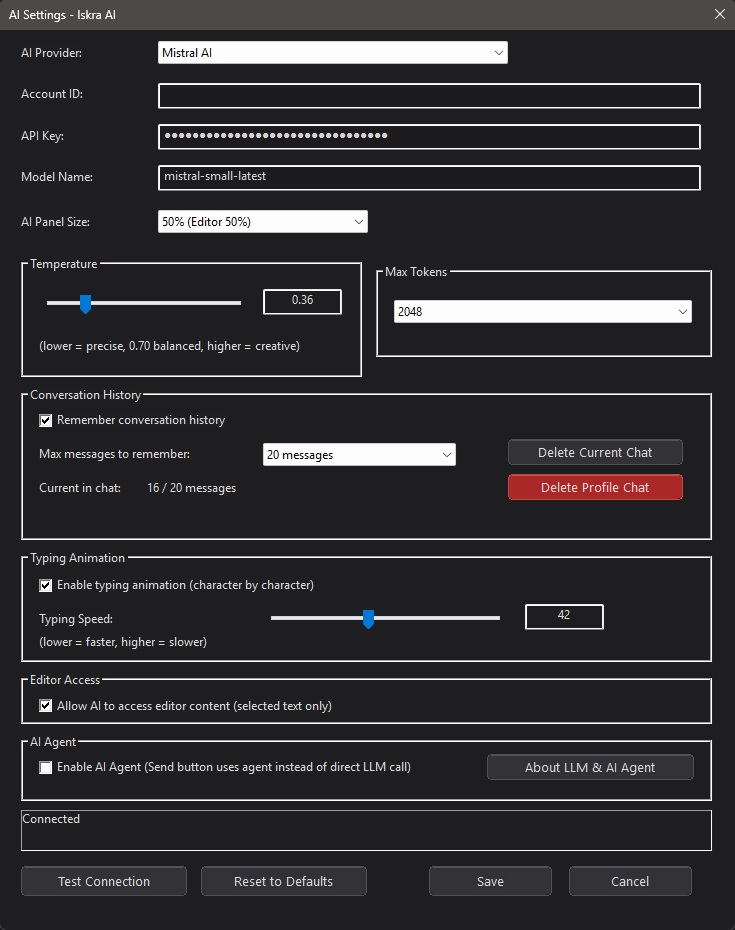
Optionally connect your editor to free AI APIs (Google Gemini, Groq, Cloudflare, Mistral AI) for instant writing assistance, proofreading, and code analysis-100% telemetry-free.
Iskra includes a chat panel that connects directly to AI services. Use it to write, proofread, summarize, or ask questions about your text.
The AI Settings dialog lets you choose from supported online API providers. Fine-tune parameters such as temperature, max tokens, and system instructions to match your workflow.
Your API key is stored locally on your device. No data goes anywhere except the provider you explicitly configure.
The AI assistant can work with content selected in the editor. This feature is disabled by default and must be explicitly enabled in AI Settings. When enabled, the AI can only see text that you have selected. Every AI edit can be undone with Ctrl+Z.
Windows 10 / 11 · x64
Installed and updated automatically via Microsoft Store.
View product page directly on the Microsoft Store website.


Fast, simple, and resource friendly utilities built with the same focus on privacy and speed
Extract text from screen captures and images instantly using offline smart engine or cloud AI.
Privacy: No registration required. No personal data collected. AI features connect only to the provider configured with your own API key.